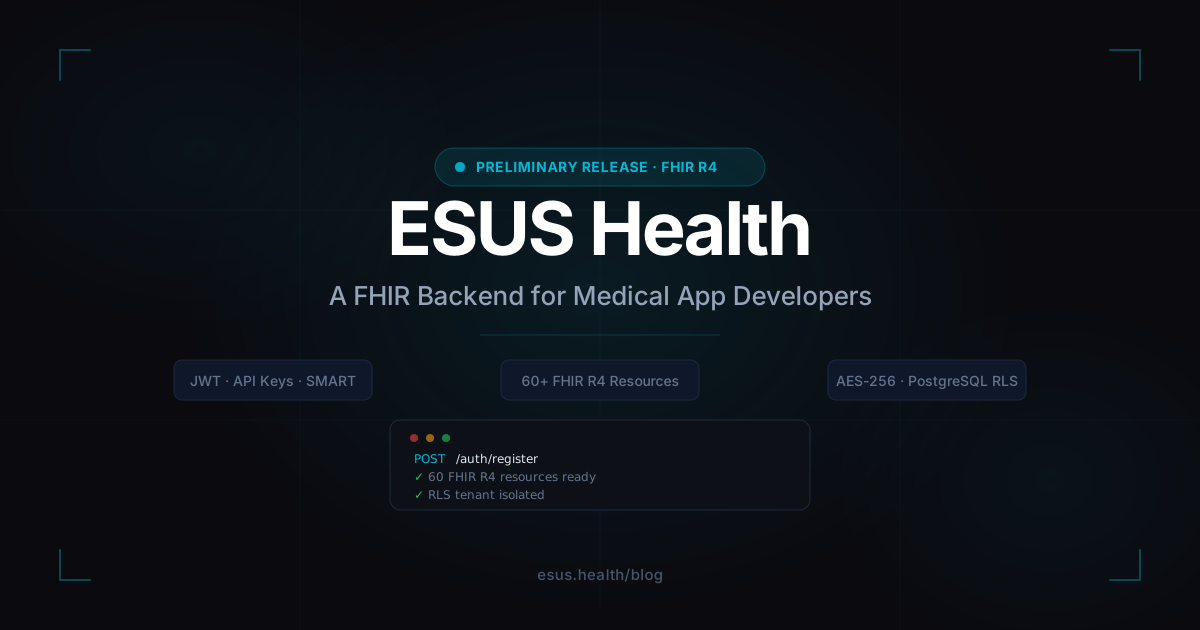

Welcome to ESUS Health — A FHIR Backend for Medical App Developers
We built ESUS because we went through the pain of doing it the hard way.
Every time someone wants to build a medical application — a scheduling tool for a clinic, a medication tracker, a patient portal — they face the same wall: healthcare backends are brutally complex. You need FHIR compliance, PHI encryption, audit logs, consent management, multi-tenancy, role-based access, and a dozen more things before you can write a single line of business logic. That’s months of infrastructure work, specialized knowledge, and ongoing compliance burden.
ESUS handles all of that. You focus on your app.
This is a preliminary version. We’re releasing it to developers first so you can build, experiment, and give us feedback before we open the doors wider.
What ESUS Actually Is
ESUS is a FHIR R4-compliant Backend-as-a-Service. When you register an organization, you get:
- 60+ implemented FHIR R4 resources — Patient, Practitioner, Encounter, Observation, MedicationRequest, Appointment, and many more, all with standard REST CRUD + search + history
- Three authentication methods — JWT sessions (15-min access / 7-day refresh), API Keys (
X-API-Keyheader), and SMART on FHIR OAuth 2.0 with PKCE - PostgreSQL Row-Level Security for data isolation between organizations — your data cannot be accessed by another tenant at the database level
- AES-256 encryption at rest for all PHI fields (names, contacts, identifiers)
- Append-only audit log — every read, write, and delete is recorded automatically
- Extra platform modules — Patient Queue, Pharmacy inventory, FHIR Bulk Export, and File Storage
Getting Started in 5 Minutes
1. Register your organization
curl -X POST https://api.esus.health/auth/register \
  -H "Content-Type: application/json" \
  -d '{
    "email": "admin@yourclinic.com",
    "password": "SecurePass123!",
    "organizationName": "Your Clinic"
  }'
Registration is asynchronous: you’ll receive a 202 Accepted response and a verification email. Activate the account via the link (or the 6-digit code), then log in via POST /auth/login to receive an accessToken (valid 15 minutes) and a refreshToken (valid 7 days). Use the access token as a Bearer token on every subsequent request.
Heads up: self-service registration is moving to
console.esus.health, which is currently in development. The API-side verification (Authorization: Bearer …,X-API-Key: …) is not changing — the examples below keep working.
Password policy: Minimum 12 characters, must include uppercase, lowercase, digit, and special character. This is an intentional HIPAA §164.312 requirement, not an arbitrary restriction.
2. Create your first Patient
curl -X POST https://api.esus.health/fhir/Patient \
  -H "Authorization: Bearer YOUR_ACCESS_TOKEN" \
  -H "Content-Type: application/fhir+json" \
  -d '{
    "resourceType": "Patient",
    "name": [{ "use": "official", "family": "García", "given": ["Laura"] }],
    "gender": "female",
    "birthDate": "1985-06-20",
    "telecom": [{ "system": "phone", "value": "+54911234567" }]
  }'
3. Create a Practitioner
curl -X POST https://api.esus.health/fhir/Practitioner \
  -H "Authorization: Bearer YOUR_ACCESS_TOKEN" \
  -H "Content-Type: application/fhir+json" \
  -d '{
    "resourceType": "Practitioner",
    "name": [{ "family": "Rodríguez", "given": ["Carlos"] }],
    "qualification": [{ "code": { "text": "Cardiologist" } }]
  }'
4. Book an Appointment
curl -X POST https://api.esus.health/fhir/Appointment \
  -H "Authorization: Bearer YOUR_ACCESS_TOKEN" \
  -H "Content-Type: application/fhir+json" \
  -d '{
    "resourceType": "Appointment",
    "status": "booked",
    "start": "2026-05-10T09:00:00-03:00",
    "end":   "2026-05-10T09:30:00-03:00",
    "participant": [
      { "actor": { "reference": "Patient/PATIENT_ID" },     "status": "accepted" },
      { "actor": { "reference": "Practitioner/PRACT_ID" },  "status": "accepted" }
    ]
  }'
That’s a complete booking flow — patient record, practitioner record, appointment — in under 5 minutes.
Security and PHI: What We Do and Why
Healthcare data isn’t like regular user data. A leaked password is recoverable. A leaked patient record is a HIPAA violation with real consequences — fines, reputational damage, and most importantly, harm to real people.
Here’s exactly what ESUS does to protect data:
AES-256 Encryption at Rest
Every PHI field — names, phone numbers, email addresses, identifiers — is encrypted with AES-256-GCM before it hits the database. Encryption keys are derived per-tenant via HKDF-SHA256 from a root key held in our infrastructure (enterprise secret manager), not in your app. You write and read plain FHIR JSON; encryption and decryption happen transparently at the persistence layer.
Why individual field encryption instead of full-disk encryption?
Full-disk encryption protects against physical theft of storage media. It doesn’t protect against a compromised database connection or a misconfigured query that leaks rows. Field-level encryption means that even if an attacker reads raw database rows, they see ciphertext, not PHI.
Searchable PHI Without Exposing It
Searching encrypted fields is normally a problem — you can’t WHERE name = 'García' on ciphertext. ESUS solves this by storing deterministic hashed search tokens alongside the encrypted values. Phone numbers and email addresses are hashed with a server-side secret. Name fields are tokenized and stored as lowercase token arrays. This lets you search without ever decrypting the full dataset.
Append-Only Audit Log
Every authenticated request is logged asynchronously to a table with no UPDATE or DELETE permissions — not even for admins. The audit record captures:
- Who made the request (user ID, email, roles)
- What resource was accessed (type, ID, HTTP method)
- When (timestamp with timezone)
- Whether it succeeded or was denied
- Whether an emergency override was used
This satisfies HIPAA §164.312(b) audit controls without you writing a single line of logging code.
Row-Level Security via PostgreSQL RLS
Every tenant-scoped table has an organizationId column and a row-level security policy at the database layer. When your request hits the API, the tenant plugin binds the authenticated organization to the database session before any query executes. This means a miscoded query that forgets a WHERE organizationId = ? clause still returns zero rows for another tenant — the database itself enforces the boundary.
Token Expiry by Design
Access tokens expire in 15 minutes. This is not a bug or an oversight. Short-lived tokens limit the blast radius of a leaked token. Your client should implement silent refresh using the refresh token (7-day TTL) to maintain a session without re-login.
Best Practices Before You Ship
Before you put patient data in your app, go through this list:
Authentication
- Store tokens in
httpOnlycookies, notlocalStorage(XSS protection) - Implement silent token refresh — don’t let your users get logged out mid-session
- Use SMART on FHIR OAuth 2.0 with PKCE if you’re building a third-party or EHR-embedded app
- Create scoped API keys for each service — don’t use a wildcard
*key in production
Data handling
- Never log PHI in your application logs — filter request/response bodies before sending to your logging provider
- Don’t cache patient data in client-side state longer than the session
- Set up webhook subscriptions for audit failures so you know when someone is probing your system
Roles and permissions
- Create the most restrictive role that still lets users do their job
- Practitioners should not have admin access
- API keys for read-only integrations (analytics, reporting) should only have
*.readscope
Practical Example: Scheduling App with Next.js + shadcn/ui + Axios
Let’s build a minimal but functional appointment scheduling interface for a clinic.
Setup
npx create-next-app@latest clinic-scheduler --typescript --tailwind --app
cd clinic-scheduler
npx shadcn@latest init
npx shadcn@latest add button card badge table
npm install axios
API client (lib/api.ts)
import axios from 'axios'

const api = axios.create({
  baseURL: 'https://api.esus.health',
  headers: { 'Content-Type': 'application/fhir+json' },
  withCredentials: true, // send httpOnly cookies automatically
})

// Silent refresh interceptor
api.interceptors.response.use(
  (res) => res,
  async (error) => {
    if (error.response?.status === 401) {
      try {
        await axios.post('/auth/refresh', {}, { withCredentials: true })
        return api.request(error.config)
      } catch {
        window.location.href = '/login'
      }
    }
    return Promise.reject(error)
  }
)

export default api
Types (types/fhir.ts)
export interface FHIRPatient {
  resourceType: 'Patient'
  id?: string
  name: Array<{ family: string; given: string[] }>
  gender?: 'male' | 'female' | 'other' | 'unknown'
  birthDate?: string
}

export interface FHIRPractitioner {
  resourceType: 'Practitioner'
  id?: string
  name: Array<{ family: string; given: string[] }>
  qualification?: Array<{ code: { text: string } }>
}

export interface FHIRAppointment {
  resourceType: 'Appointment'
  id?: string
  status: 'proposed' | 'booked' | 'arrived' | 'fulfilled' | 'cancelled' | 'noshow'
  start: string
  end: string
  participant: Array<{
    actor: { reference: string; display?: string }
    status: 'accepted' | 'declined' | 'tentative' | 'needs-action'
  }>
}
Fetch appointments (app/appointments/page.tsx)
import api from '@/lib/api'
import { FHIRAppointment } from '@/types/fhir'
import {
  Table, TableBody, TableCell, TableHead,
  TableHeader, TableRow,
} from '@/components/ui/table'
import { Badge } from '@/components/ui/badge'

async function getAppointments(): Promise<FHIRAppointment[]> {
  const res = await api.get('/fhir/Appointment?_sort=-date&_count=20')
  return res.data.entry?.map((e: any) => e.resource) ?? []
}

const statusColor: Record<string, string> = {
  booked:    'default',
  arrived:   'secondary',
  fulfilled: 'outline',
  cancelled: 'destructive',
  noshow:    'destructive',
}

export default async function AppointmentsPage() {
  const appointments = await getAppointments()

  return (
    <div className="p-8">
      <h1 className="text-2xl font-bold mb-6">Appointments</h1>
      <Table>
        <TableHeader>
          <TableRow>
            <TableHead>Date & Time</TableHead>
            <TableHead>Patient</TableHead>
            <TableHead>Practitioner</TableHead>
            <TableHead>Status</TableHead>
          </TableRow>
        </TableHeader>
        <TableBody>
          {appointments.map((appt) => {
            const patient = appt.participant.find(p =>
              p.actor.reference.startsWith('Patient/')
            )
            const practitioner = appt.participant.find(p =>
              p.actor.reference.startsWith('Practitioner/')
            )
            return (
              <TableRow key={appt.id}>
                <TableCell>
                  {new Date(appt.start).toLocaleString()}
                </TableCell>
                <TableCell>{patient?.actor.display ?? '—'}</TableCell>
                <TableCell>{practitioner?.actor.display ?? '—'}</TableCell>
                <TableCell>
                  <Badge variant={statusColor[appt.status] as any}>
                    {appt.status}
                  </Badge>
                </TableCell>
              </TableRow>
            )
          })}
        </TableBody>
      </Table>
    </div>
  )
}
Book an appointment form (app/appointments/new/page.tsx)
'use client'

import { useState } from 'react'
import api from '@/lib/api'
import { Button } from '@/components/ui/button'
import { Card, CardContent, CardHeader, CardTitle } from '@/components/ui/card'
import { useRouter } from 'next/navigation'

export default function NewAppointmentPage() {
  const router = useRouter()
  const [loading, setLoading] = useState(false)
  const [form, setForm] = useState({
    patientId: '',
    practitionerId: '',
    start: '',
    end: '',
  })

  async function handleSubmit(e: React.FormEvent) {
    e.preventDefault()
    setLoading(true)
    try {
      await api.post('/fhir/Appointment', {
        resourceType: 'Appointment',
        status: 'booked',
        start: new Date(form.start).toISOString(),
        end: new Date(form.end).toISOString(),
        participant: [
          { actor: { reference: `Patient/${form.patientId}` },      status: 'accepted' },
          { actor: { reference: `Practitioner/${form.practitionerId}` }, status: 'accepted' },
        ],
      })
      router.push('/appointments')
    } finally {
      setLoading(false)
    }
  }

  return (
    <div className="p-8 max-w-lg">
      <Card>
        <CardHeader>
          <CardTitle>New Appointment</CardTitle>
        </CardHeader>
        <CardContent>
          <form onSubmit={handleSubmit} className="flex flex-col gap-4">
            <input
              className="border rounded px-3 py-2 text-sm"
              placeholder="Patient ID"
              value={form.patientId}
              onChange={e => setForm({ ...form, patientId: e.target.value })}
              required
            />
            <input
              className="border rounded px-3 py-2 text-sm"
              placeholder="Practitioner ID"
              value={form.practitionerId}
              onChange={e => setForm({ ...form, practitionerId: e.target.value })}
              required
            />
            <input
              type="datetime-local"
              className="border rounded px-3 py-2 text-sm"
              value={form.start}
              onChange={e => setForm({ ...form, start: e.target.value })}
              required
            />
            <input
              type="datetime-local"
              className="border rounded px-3 py-2 text-sm"
              value={form.end}
              onChange={e => setForm({ ...form, end: e.target.value })}
              required
            />
            <Button type="submit" disabled={loading}>
              {loading ? 'Booking…' : 'Book Appointment'}
            </Button>
          </form>
        </CardContent>
      </Card>
    </div>
  )
}
This gives you a working scheduling interface — appointments list with status badges and a booking form — in about 100 lines of actual product code. All the FHIR compliance, data validation, audit logging, and encryption happened on the ESUS side.
Why Not Build Your Own Backend?
We’re not going to pretend this is a simple decision. If you have the time and expertise, building your own FHIR backend is perfectly valid. But here’s what that actually involves:
Compliance work alone:
- HIPAA Business Associate Agreement (BAA) with every infrastructure provider
- PHI encryption at rest and in transit — with proper key management, rotation, and HSM considerations
- Audit log system that is tamper-proof, append-only, and exportable for compliance reports
- Consent management system aligned with FHIR Consent resource
- Access control model that satisfies ABAC requirements
- Breach notification procedures
Technical work:
- FHIR R4 resource modeling for 60+ resource types, each with their own search parameter spec
- FHIR search syntax (
_include,_revinclude,_has, modifiers like:exact,:contains, chaining) - FHIR versioning (
ETag,If-Match,_historyendpoints) - FHIR Batch/Transaction Bundle processing with rollback semantics
- Multi-tenancy isolation (shared database with RLS, or separate databases per tenant with migration overhead)
- SMART on FHIR OAuth 2.0 implementation for EHR integration
Ongoing:
- HL7 FHIR specification updates (R4 → R5 migration)
- Security patches and CVE monitoring on every dependency
- Infrastructure costs: managed PostgreSQL, Redis, object storage, load balancers — easily $500–$2,000/month for a small production deployment
- DevOps time to maintain all of the above
That’s 3–6 months of specialized engineering work before you write a single feature your users care about. ESUS compresses that to a weekend.
What’s Next
This is a preliminary release. We’re actively working on:
- Dashboard — visual interface to manage your organization, users, and data
- Webhooks UI — configure FHIR Subscriptions from a web interface
- SDK libraries — TypeScript and Python SDKs with full type safety
- Billing — usage-based pricing tied to API requests and storage
The full API reference will live at console.esus.health when the console launches. In the meantime, the product docs cover everything you need to build. Every endpoint is documented with examples, request/response schemas, and live try-it-out via Scalar.
If you run into issues, find bugs, or have feature requests, reach out at hello@esus.health. We read every email.
Let’s build something.
Related articles
Passkeys Are Here: Passwordless Sign-In for Every App
You can now turn on passkeys for any app from the console. Your users sign in with Face ID, Touch ID, a fingerprint, or a device PIN — no password, phishing-resistant by design.
Safer, Faster: How We Rebuilt Esus Login
We rebuilt Esus login from scratch with three goals: get you in faster, verify you're who you say you are, and resist the attacks that most commonly hit medical accounts.
Introducing MyClinic: Your Practice, Made Simple — With AI on Your Side
MyClinic is the app for healthcare professionals built on ESUS Health: scheduling, a public booking page so patients book themselves, patient records, AI-assisted clinical notes, and an installable app. With a genuinely generous free plan to start today.